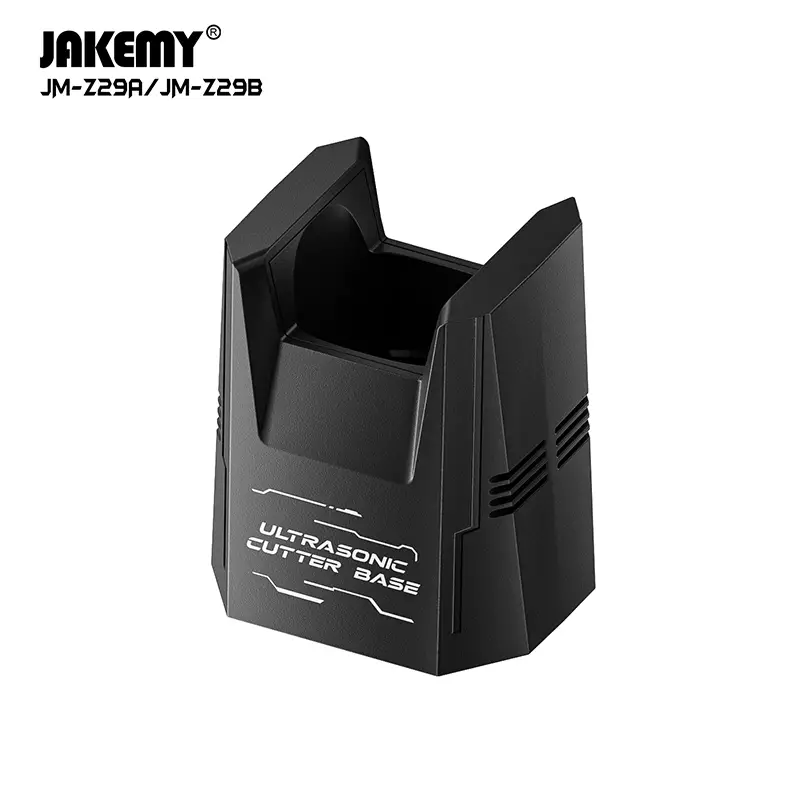
Precision ultrasonic cutting transforms delicate trimming and prototyping tasks by vibrating micro-blades at tens of thousands of cycles per second. High-frequency oscillation slices effortlessly through hardened resins, printed plastics, and electronic substrates. However, leaving an active blade resting directly on a workbench creates severe laceration risks and accidental surface damage.
Delicate acoustic horns and razor edges suffer impact shock whenever unanchored tools roll across crowded surfaces. Workshops require dedicated docking fixtures rather than makeshift trays to manage these high-precision instruments. Selecting an ultrasonic cutter storage base protects cutting tips from impact damage, secures the energized handpiece between passes, and eliminates dangerous workbench hazards.
Structural Ballast and Anti-Topple Weight Distribution
Heavy power leads and stiff transducer cables exert continuous mechanical drag against handheld ultrasonic tools during benchwork. Lightweight plastic stands frequently tip over under the tension of trailing cords, dragging exposed razor tips across tables or onto workshop floors. Reliable holders counteract dynamic cable pull by means of broad foundation profiles and low centers of gravity.
Dense metal construction provides the ballast necessary to keep the assembly stationary throughout rapid, repetitive cutting tasks. High-friction silicone footing on the base underside stops lateral skidding across smooth electronic rework benches. Integrating an ultrasonic cutter holding base with substantial mass guarantees that incidental bumps will not dislodge the sharp cutting instrument.
Thermal Dissipation and Material Heat Tolerance
Continuous ultrasonic excitation generates localized heat within the transducer horn, blade clamping mechanism, and cutting tip during operation. Placing a tool that has just been used onto unventilated synthetic surfaces can melt conventional plastics, scorch protective bench mats, or trap heat inside the transducer housing. Excessive heat retention accelerates component fatigue and compromises acoustic resonance over time.
Effective docking fixtures incorporate materials and geometric venting channels that actively dissipate residual thermal buildup between cutting cycles. Experienced tool manufacturers like Jakemy address thermal management by machining docking structures from high-grade aluminum alloys. These alloys conduct heat away from the handpiece collar. Metal contact surfaces withstand elevated operating temperatures without warping or transferring heat downward.
Handpiece Cavity Geometry and Tip Clearance
Handpiece dimensions vary widely across different cutter designs, ranging from slim ergonomic hobby pens to thicker industrial grip housings. A secure docking cavity must support the specific contour of the handpiece collar without compressing sensitive power buttons or digital activation switches. Receiving collars must hold the tool firmly without binding, allowing immediate one-handed insertion during intricate trimming tasks.
Interior receiver channels must provide generous longitudinal clearance to prevent the delicate blade tip from colliding with bottom or sidewall surfaces. Contact with hard interior surfaces dulls finely honed cutting edges and chips brittle carbide blades. Well-engineered ultrasonic cutter knife holders suspend the working tip cleanly in open air within a protective sleeve, safeguarding sharpness between delicate operations.
Integrated Blade Management and Hardware Organization
Routine maintenance of ultrasonic tools involves frequent blade swaps to match specific material densities, radius contours, and cut depths. Technicians often lose valuable assembly time searching through unorganized drawers or loose packaging for microscopic hex keys and replacement blades. Scattered blades also present serious puncture hazards when left exposed on repair benches alongside delicate circuitry and measuring tools.
Comprehensive tool stations integrate containment slots into the base perimeter to house fresh blades, wrenches, and spare clamping screws. Dedicated precision-milled slots keep delicate replacement components separated, organized, and shielded from damage. Equipping workstations with an ultrasonic cutter storage base streamlines tool maintenance. The base features organized accessory cavities and keeps essential replacement hardware within arm’s reach.
Structural Metallurgy and Chemical Solvent Resistance
Electronics assembly and rework environments routinely expose bench fixtures to corrosive flux residues, aggressive cleaning solvents, and abrasive resin dust. Inexpensive 3D-printed docks or hollow polystyrene stands quickly crack, swell, or degrade when contacted by isopropyl alcohol and industrial degreasers. Porous holder surfaces also trap conductive carbon dust, introducing contamination risks near sensitive printed circuit assemblies.
CNC-machined metal architecture resists chemical breakdown while enduring the mechanical friction of daily tool seating. Hard-anodized surface finishes resist abrasion, prevent oxidation, and allow rapid decontamination with cleanroom cleaning agents. Sourcing a robust ultrasonic cutter holding base made of treated alloy ensures the docking station retains structural integrity. It also keeps the station looking clean across years of demanding workshop use.
Workstation Footprint and Ergonomic Motion Economy
Modern repair workstations must accommodate microscopes, soldering irons, micro-tweezers, and fume extractors within tightly constrained bench space. Bulky storage fixtures consume valuable assembly area, forcing operators into awkward reaching angles that increase physical fatigue and accident probability. Streamlined vertical docking profiles minimize the overall desktop footprint while positioning the cutter handle at an intuitive entry angle.
Ergonomic orientation angles allow technicians to dock and undock the cutting tool using natural wrist motions without adjusting their working posture. Smooth chamfered entry funnels guide the handpiece collar effortlessly into place, preventing accidental glancing blows against the stand perimeter. Modern ultrasonic cutter knife holders optimize benchtop geometry, delivering maximum functional utility without cluttering limited technical workspaces.
Aligning Technical Specifications with Operational Workflows
Selecting the appropriate docking accessory requires evaluating how mechanical ballast, thermal venting, tip protection, and ergonomic access interact during production. Deploying a dedicated ultrasonic cutter storage base ensures workstations maintain safety and precision throughout intensive assembly cycles.
Engineering teams like Jakemy address these multi-variable demands by crafting integrated metal docking units, such as their JM-Z29 series. Securing production benches with a certified ultrasonic cutter holding base prevents accidental drops, enhances tool longevity, and protects operators.
Hardware innovators like Jakemy demonstrate that precision cutting requires equally deliberate bench organization to achieve peak efficiency. Investing in high-grade ultrasonic cutter knife holders provides the lasting stability, thermal isolation, and blade security essential for modern electronics manufacturing.