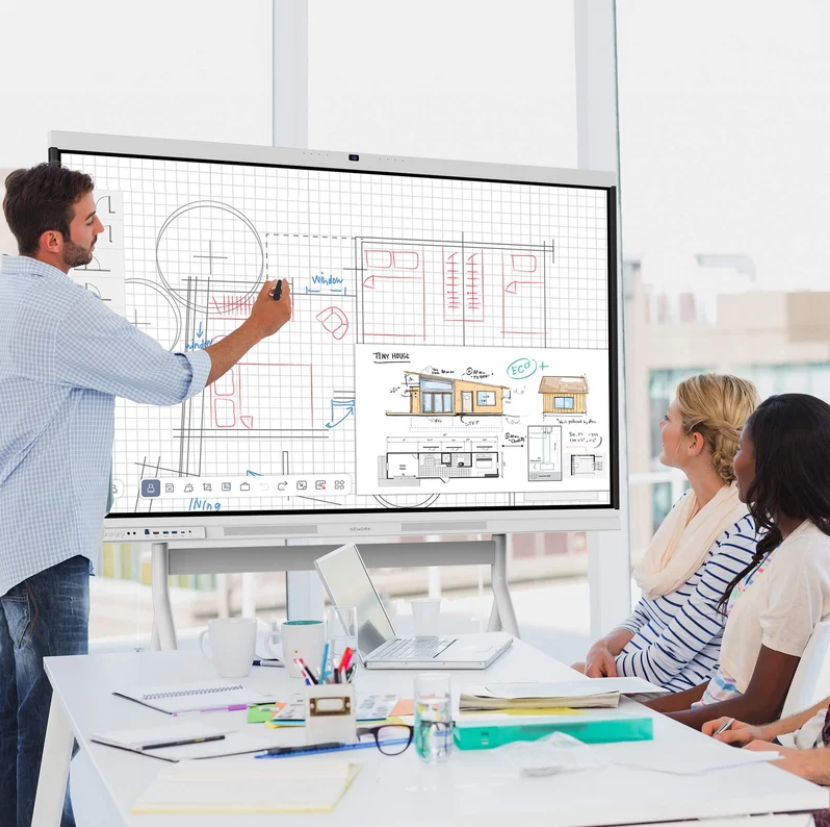
Choosing an interactive display for one meeting room is different from planning a rollout across several rooms or office locations. A unit may work well in a demonstration but behave differently with local networks, laptops, room cameras, or meeting platforms. A structured evaluation helps teams identify gaps before they affect daily work.
For organizations comparing Nework smart board options, testing should focus on repeatable performance rather than a short demonstration. Nework develops interactive displays and collaboration solutions for education and business. Its NewBoard series supports touch interaction, wireless screen sharing, collaborative annotation, and smart management. Teams can assess these functions against site requirements before making a purchasing decision.
Start with Real Meeting Tasks
Begin with the work employees actually do. Test a presentation, a video call, a shared document review, and a session where several people annotate the same content. Include routine interruptions, such as switching presenters or reopening a file after a call.
Record the steps required and where users hesitate. A feature list cannot show whether a host can launch a session quickly or participants understand how to share content. Ask staff from different departments to complete the same tasks without coaching. Their feedback can reveal confusing controls before installation expands.
Check Connections Across Different Devices
A multi-site deployment may include Windows laptops, Mac computers, tablets, and mobile devices. Test wired connections and wireless sharing with devices employees already use. Confirm that sharing starts reliably, text remains readable, and video or audio stays stable during a typical meeting.
Repeat the process with guest devices, different network conditions, and common presentation formats. If staff use video conferencing software, confirm compatibility with the organization’s approved setup. Record extra adapters, software permissions, or network changes so IT can estimate deployment effort.
Review Network and Security Requirements
Before connecting a display to a corporate network, IT staff should review network access, update processes, account settings, and management controls. Follow internal security policies. Confirm which services need internet access, whether guest access can be restricted, and how administrators apply approved settings across rooms.
Test wireless sharing in rooms with different access point locations and normal network traffic. Check whether connections recover after a temporary interruption. For remote offices, document differences in bandwidth, firewall rules, and support arrangements. This helps distinguish a product issue from a local network problem.
Measure the Room, Not Just the Display
Room conditions influence everyday use. Check viewing distance, visibility from the back row, window glare, and whether users can reach the touch surface comfortably. In training rooms, test whether participants can read small labels and detailed spreadsheets from their usual seats.
Consider furniture and movement around the display. A wall-mounted unit may suit a fixed meeting room, while a shared training space may need another layout. Confirm power access, cable routes, mounting support, and space for connected equipment before installation. These checks help facilities teams prepare each room consistently.
Test Collaboration and Management Features
Interactive displays do more than present slides. Test annotation during a discussion, erasing and saving notes, switching sources, and sharing results after a meeting. Confirm what can be saved, where files are stored, and whether the workflow follows company rules for access and retention.
Management functions matter as the number of rooms grows. Ask administrators to test device settings, update procedures, and routine troubleshooting. A Nework smart board evaluation should cover both user experience and ongoing management. Record which tasks can be handled centrally and which require a visit to the room.
Compare Results with a Shared Scorecard
Use the same scorecard at every pilot location. Measures can include connection success, meeting start time, annotation, readability, compatibility, support needs, and user feedback. Keep observations separate from assumptions. Record the device, room, network condition, and steps behind a failed connection instead of simply marking a feature unreliable.
Set acceptance criteria before testing. Requirements may differ between a boardroom, classroom, and small huddle room, but the method should stay consistent. Include IT, procurement, facilities, and daily users. Their feedback balances technical needs with usability and operating costs. Keep completed scorecards together so decision-makers can compare sites using recorded results.
Plan Support Before Expanding
Test the support process during the pilot. Give local staff a short guide for basic tasks, then ask them to resolve common issues without direct help. Track questions and update the guide before wider deployment. Confirm who handles updates, hardware faults, warranty questions, and escalation between local teams and the supplier.
Nework provides interactive display and collaboration solutions for education and business settings. Purchasing teams can compare tested functions with room requirements, then clarify configuration, deployment, training, and support arrangements with the supplier. This keeps decisions grounded in rollout needs rather than a demonstration alone.
Make the Rollout Decision Evidence-Based
A multi-room or multi-site purchase should proceed when pilot results show that the display fits workflows, network conditions, room layouts, and support capacity. Document unresolved issues and assign an owner to each one before approving wider installation.
A useful evaluation is repeatable: test the same tasks, record comparable results, and involve the people who will use and maintain the equipment. With that evidence, teams can choose a configuration, plan installation, and prepare staff with fewer surprises after deployment.
